
Description
Key Features
- New industrial white print head
- High-speed print mode
- Optimised maintenance for less waiting time
- Additional height sensor
- High quality 1200 x 1200 dpi print resolution
- Environmentally friendly with water based pigment ink
New industrial white print head
The newly designed white print head with internal ink circulation reduces the amount of white ink needed for cleaning.
High-speed print mode
The newly designed white print head has even more nozzles than its predecessors. This allows to print in high-speed mode, up to 10% faster!
Print with precision
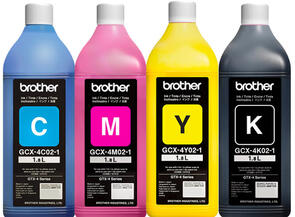
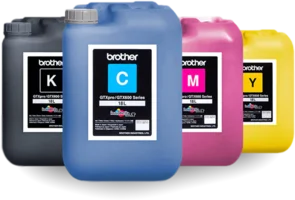
Never sacrifice print quality for output speed. With a print resolution of 1200 x 1200 dpi combined with cutting edge Innobella Textile inks, your designs can incorporate the entire colour spectrum and even minute details will print with fantastic clarity.
Optimised maintenance - less time consuming
The automatic cleaning processes have been reduced to increase productivity drastically. The standard wet capping station minimises clogged nozzles and the white ink circulation system keeps the system primed and ready to print.
Environmentally friendly
OekoTex Passport and GOTS 5.0 certified Innobella textile inks.
Authorised dealer network
Installation and training will be done by an authorised Brother DTG technician.
Additional height sensor
For an excellent print quality, the new sensor technology controls the optimum height of the print platen in order to prevent ink mist.
Less waiting time
By starting to print automatically without manual confirmation at the end of systemically relevant processes, like print file loading or automatic cleaning, your machine will have less downtime.
Flexibility
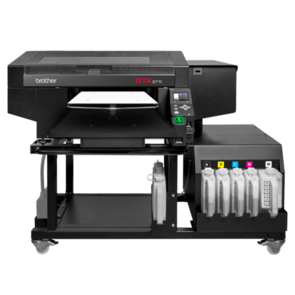
Easily print on a large variety of garments - including trousers, shoes and caps - plus many more. The large gap between the print head and the substrate means you can easily print over seams, across zippers and on top of pockets. The GTXpro has the largest print area of any Brother DTG printer ever. With a maximum print size of 16” x 21”, your designs can be bigger and bolder than ever. Extra thick items are no problem thanks to the adjustable platen height system.
Compact machine design
Our compact machine design gives you the flexibility to cater to varying production numbers and to optimise processes in a flexible way.
Print in one pass
With the white ink channels stacked right behind the CMYK channels, you can print almost anything is a single pass.
Print with confidence
When you print and fully cure an item using the GTXpro and Innobella Textile Inks, you can be sure of its durability and washability. That’s because Innobella Textile inks have scored 4.0 or higher on AATCC wash tests.
Create high-quality printed garments with minimal training or experience
Unlike traditional labour-intensive processes such as screen printing and embroidery, Direct to Garment printing (DTG) utilises inkjet printing technology to send a full colour, detailed design directly from a computer to a digital printer with a garment loaded into it.
Piezo print heads then jet opaque white ink and translucent CMYK ink onto the garment and recreate the digital artwork. These inks are water-based, eco-friendly inks that are specifically designed to adhere to fabric when heat cured.
DTG makes it simple to create high-quality printed garments and relieves you from needing highly skilled, extensively trained employees with years of printing experience.
Do more with DTG
- Unlimited colour options and design reproduction
- Efficient short runs and one-offs
- Quick and easy reprints
- Faster output and response to market trends
- Seamless printing over zippers and other difficult garments
- Reduced labour and training requirements compared to other printing methods
- Easier setup and smaller space requirements
Step 1: Pre-treat and cure the garment
When printing with white ink, apply the appropriate amount of pre-treat depending on the garment. For high volume printing, a pre-treatment machine can be used for optimal results. Then cure the pre-treat solution with either a heat press or dryer to ensure a flat printing surface.
Step 2: Prepare the digital art
Load your artwork into our new GTX Graphics Lab software. GTX Graphics Lab allows you to position the image, add text, distress layers and make other adjustments to your image before sending the file to print using the GTXpro print driver. Optionally, you can also print directly from your own graphics software.
Step 3: Print on the garment
Dress the platen with your desired garment or substrate and press print.
Step 4: Cure the ink on the garment
Place the printed garment onto the heat press once again or in a forced air dryer to cure the ink. This will ensure the ink is fully cured to the garment and will have the desired washability.
Specifications